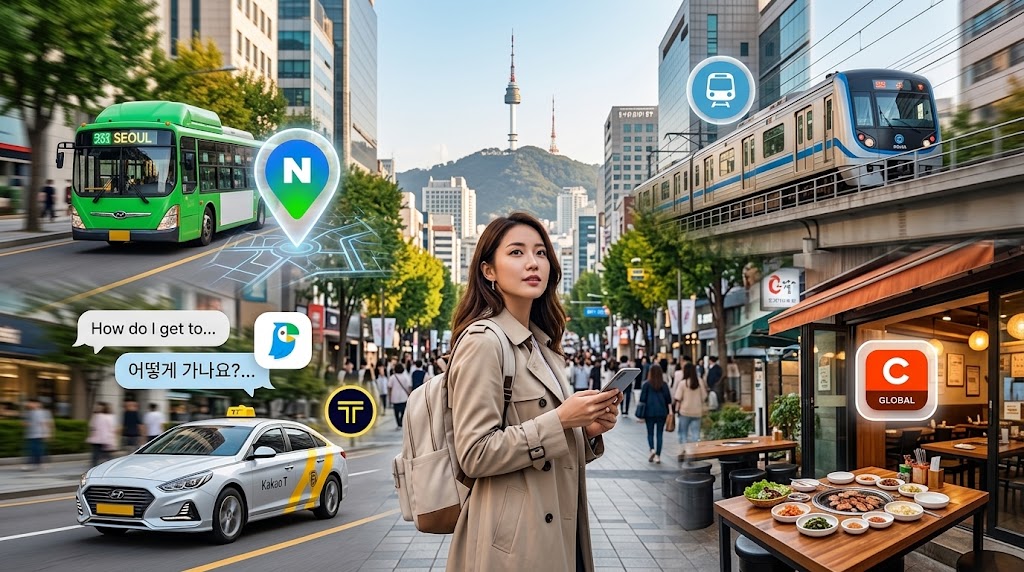
Google Maps lacks accurate walking and transit routes in South Korea due to mapping regulations, and hailing taxis on the street is nearly impossible late at night. Download these 5 local apps before landing to travel like a pro.
1. Naver Map (Walking GPS & Transit) 🗺️

The essential replacement for Google Maps in South Korea.
- Turn-by-Turn GPS: Precise pedestrian routes through alleys and subway stations.
- Live Transit: Real-time bus countdowns and subway schedules in full English.
- 💡 Pro-Tip: If English search fails, paste the venue’s phone number directly into the search bar to locate it instantly.
2. Papago (AI-Powered Live Translation) 🦜

Built by Naver, Papago translates Korean with far more natural context than Google Translate.
- Camera Scan: Point your camera at restaurant menus and signs for instant English overlays.
- Two-Way Voice: Speak into your microphone for smooth conversations with taxi drivers.
- 💡 Pro-Tip: Use camera scan on complimentary side dishes (banchan) at K-BBQ spots to check for allergens or spice levels.
3. Kakao T (Taxi Hailing Without a Korean Card) 🚕

Korea’s Uber. Essential for getting back to your hotel after midnight when subways stop running.
- Foreign Friendly: Register easily using your international mobile number.
- No Korean Card Needed: Select “General Taxi” and choose “Pay to Driver” to pay with cash or your foreign Visa/Mastercard.
- 💡 Pro-Tip: Never pick “Blue” or “Venti” if paying in person—stick strictly to standard General Taxi.
4. Subway Korea (Multi-Language Metro Guide) 🚇

The fastest offline-capable subway map covering Seoul, Busan, Daegu, Daejeon, and Gwangju.
- Station Numbers: Find stations using unique 3-digit numbers (e.g., #201 City Hall) without struggling with Korean pronunciation.
- Fast Transfers: Displays the exact carriage door (e.g., Door 4-2) for the quickest line transfer.
- 💡 Pro-Tip: Check the 3-digit station number on platform signs to confirm your train is moving in the correct direction.
5. Catchtable Global (Dining Reservations & Waitlists) 🍽️

The dedicated English platform to reserve trending dining spots and skip massive physical lines.
- No Korean ID Needed: Book viral dining spots and K-BBQ using your regular international email.
- Remote Queuing: Join digital waitlists from your phone before arriving at popular cafes in Seongsu or Hongdae.
- 💡 Pro-Tip: Open the app 30 to 45 minutes before peak meal times to join remote queues, saving an hour of waiting outside.
💡 Editor’s VIP Transit Tip: Incheon Airport Private Van Transfer
If you are arriving late at night, traveling with family, or carrying bulky luggage, navigating crowded subways can be exhausting. A Private Airport Transfer offers a dedicated driver waiting at the arrivals hall to take you directly to your hotel doorstep with zero transfer hassle.